Quick Summary
Hijab artwork is ready to send when it is built at the finished hijab size, holds at least 300 DPI at that size, and states whether the design is a placement print or a repeat. Keep important motifs away from the hem, where edge finishing can cut or fold them. Mark brand-critical colours with Pantone references or a physical swatch, because screen colour is not a reliable standard. Sending these details up front lets the first sample test the design rather than the file.
A custom printed hijab starts as a file, and most early sampling problems come from that file rather than from the fabric. A motif that sits perfectly on screen can end up folded into a hem. A pattern that looks crisp at phone size can print soft across 180 centimetres. A colour picked from a monitor can arrive a shade warmer than expected. None of these is a printing failure; each one is a question the file did not answer.
This guide is written for brand founders, in-house designers and boutique buyers who are preparing artwork for a custom printed hijab. It walks through the decisions to settle before you send files, explains why each one matters on a long rectangle of soft fabric, and ends with a checklist you can use on every new design. The specific requirements we quote are the ones we work to at Yiling; other printers may use different settings, so always confirm with whoever will produce your samples.
Start With the Finished Size, Not a Generic Canvas
Build your artwork at the size of the finished hijab. Our custom printed modal hijabs are produced at 180 x 75 cm, so a file for that style should be set up as a 180 x 75 cm canvas, oriented the way the scarf will be cut. Working on an A4 or square canvas and scaling up later is the most common source of stretched motifs and unexpected cropping.
If you are developing a different size, or a jersey style with its own dimensions, confirm the cut size before you start drawing. A few centimetres matter: on a hijab, the short ends often fall at the front of the body, and the long edges frame the face, so changes to width shift exactly the areas customers look at most.
Resolution: 300 DPI at the Size It Will Print
Resolution only means something at a stated size. A 3000-pixel image can be sharp on a phone and soft on a 180 cm scarf. For print reproduction we ask for at least 300 DPI at final print size. In practice that means the pixel dimensions of a raster file must be large enough to cover the full hijab at 300 pixels per inch, not just the preview size you designed at.
Vector artwork, saved as AI, EPS or PDF with the shapes kept as vectors, avoids most resolution questions for flat graphics, line work and typography because it can be scaled without losing edge quality. Painterly or photographic designs are usually raster files, typically PSD or TIFF, and need to be painted or scanned at full size from the start. Enlarging a small image in software does not add real detail; it makes larger blurry pixels.
If all you have is a low-resolution reference, such as a mood-board image or a phone photo of a painting, say so when you send it. Our design team can redraw artwork to production standard, but a redraw is a design step that needs your approval, not a silent fix.
Decide: Placement Print or Repeat
Tell your manufacturer which kind of design you are sending, because the two are prepared differently. A placement print is designed as one composition for the whole hijab: a border, a large floral that blooms from one corner, or a gradient that runs end to end. Every hijab should look the same, and the position of each motif relative to the edges matters.
A repeat is a tile that is printed edge to edge across the fabric. Each hijab is cut from that printed length, so motifs land in slightly different places on each piece. Repeats are forgiving of small cutting variation, but the tile must join cleanly on all four sides; a visible seam line in a repeat is a file issue, not a printing one.
When you send a repeat, state the intended tile size in centimetres. The same tile printed at 20 cm and at 40 cm produces very different products. When you send a placement print, include a simple layout note showing which end is the front and how the scarf is usually worn, so the design can be checked against how it will actually be seen.
Keep a Safe Zone at the Hem
Edge finishing takes up fabric. A rolled hem folds a narrow strip under; an overlocked edge wraps thread over it; other finishes trim or turn it. Whatever finish you choose, the outermost part of the artwork will either disappear into the hem or sit right on the stitching.
Keep text, logos, faces of motifs and any fine line that must stay complete well inside the edge. Let background colour or pattern run fully to the edge, so there is no unprinted white line after finishing. For border designs, ask how much the chosen hem consumes before you fix the border width, and check it on the strike-off rather than on screen.
Colour: Give a Reference, Not Just a Screen
Screens differ in brightness and colour settings, and fabric is not lit from behind, so a colour that glows on a monitor will usually look calmer printed on fabric. Some very bright or neon screen colours sit outside what textile inks can reach on a given fabric. This is normal, but it should be discussed before sampling, not discovered after.
For every colour that matters to your brand, give a reference the printer can measure or hold: a Pantone textile reference, or a physical fabric or paper swatch you are happy to post. We work to Pantone references and physical swatches for brand-critical colours. List these colours in a short note with the file, for example "background must match swatch A; leaves can vary", so effort goes where it counts.
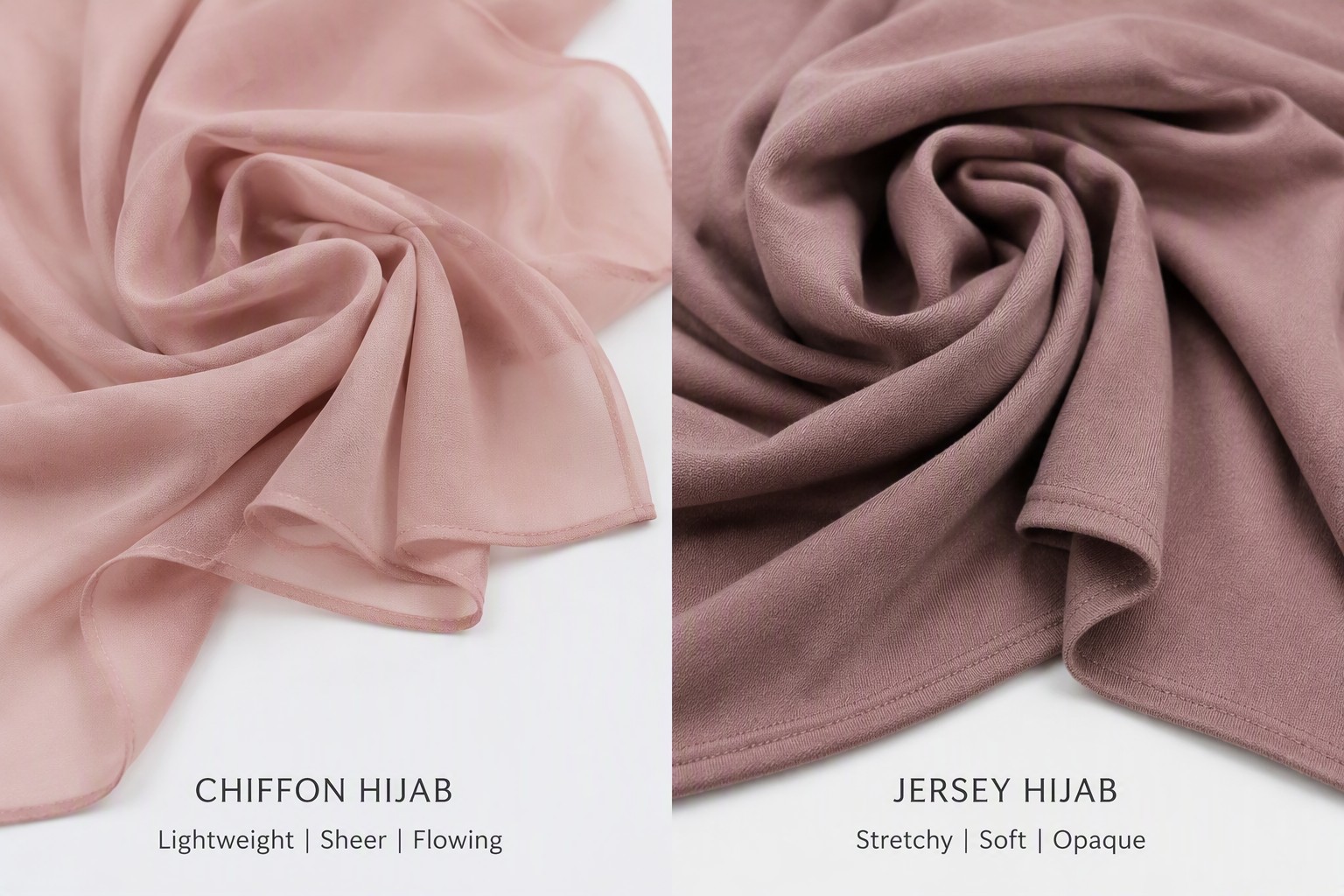
Remember that the base fabric affects colour. The same file printed on modal and on jersey can look different because the two fabrics take up colour and reflect light differently. If you plan the same design on both, expect to approve each one separately.
File Formats and How to Package Them
We accept AI, EPS, PDF, PSD and TIFF files. Whichever you use, a clean package saves a sampling round:
Send one file per design and per colourway, named clearly, for example brand_design-name_colourway_v1. Flatten or clearly label layers you do not want printed, such as guides, mock-up shadows or notes. Outline or embed fonts so text does not change on another computer. Include a small JPG preview so the receiver can see what you expect before opening the working file. Add a one-page note with the hijab size, placement or repeat, tile size if repeat, hem finish, colour references and the base fabric you want to sample on.
Common Mistakes That Cost a Sampling Round
Designing on a square or A4 canvas and leaving the printer to stretch it. Sending a screenshot or a social-media export instead of the working file. Placing a logo or signature motif inside the hem allowance. Assuming a repeat joins seamlessly without checking the tile edges at 100 percent zoom. Describing colour only in words such as "dusty rose" without a reference. Changing several things between sample rounds, so it is impossible to tell which change fixed or caused a problem.
Each of these is quick to fix on your side before sending and slow to fix after a sample has been printed, shipped and reviewed.
Your Artwork Readiness Checklist
Before you send a design, confirm that the canvas matches the finished hijab size and orientation; raster files hold at least 300 DPI at that size, or the design is vector; you have stated placement print or repeat, with tile size for repeats; repeat tiles join cleanly on all four edges; key motifs, text and logos sit well inside the hem; background runs to the edge; brand-critical colours have a Pantone or physical reference; you have named the base fabric for the sample; and files are named, flattened or labelled, with a JPG preview and a short note attached.
If you are preparing a new print and want a second pair of eyes on the file before sampling, you can send it to us with the Request a Quote button below this article. Our team will check size, resolution, layout and colour references against the hijab style you have chosen and tell you what, if anything, needs adjusting before the first strike-off.
Frequently Asked Questions
What file format is best for custom hijab printing?+
Use vector formats such as AI, EPS or vector PDF for flat graphics, line art and text, because they scale without losing sharpness. Use PSD or TIFF for painterly or photographic designs, built at full size. Yiling accepts AI, EPS, PDF, PSD and TIFF.
What resolution does hijab artwork need?+
Resolution must be judged at the final print size. Yiling asks for at least 300 DPI at the finished hijab size. A file that looks sharp on a phone may be far too small for a 180 cm scarf.
What is the difference between a placement print and a repeat on a hijab?+
A placement print is one composition designed for the whole hijab, so every piece looks the same and motif position matters. A repeat is a tile printed edge to edge, with each hijab cut from the printed length, so motifs fall in slightly different places on each piece.
How far from the edge should important motifs be?+
It depends on the hem finish, because rolled and overlocked edges take up different amounts of fabric. Keep text, logos and key motifs well inside the edge, let background colour run to the edge, and confirm the hem allowance with your manufacturer before fixing a border width.
Why does my printed colour look different from my screen?+
Screens emit light and vary between devices, while fabric reflects light and each fabric takes up colour differently. Some bright screen colours cannot be reached by textile inks. A Pantone reference or physical swatch gives the printer a fixed target.
Can a manufacturer fix a low-resolution file?+
Enlarging a small image does not add detail. Yiling's design team can redraw low-resolution artwork to production standard, but treat the redraw as a design change and approve it before sampling.
Need a quote for your next order?
Free samples available. MOQ from 100 pieces. Ships to 50+ countries.
Request a Quote